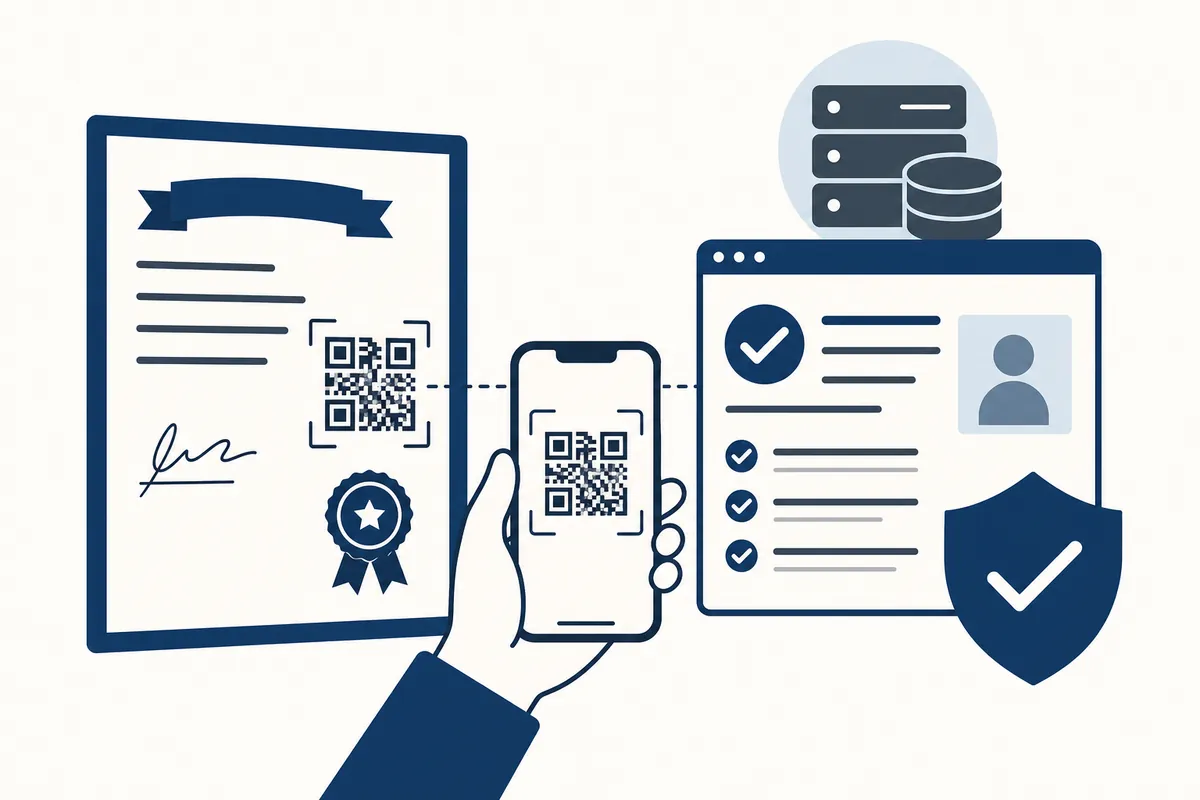
A QR code on a certificate holds a web address. Scan it with your phone camera, check the address belongs to the company that issued the certificate, then check the page shows the same details as the paper and a status you can rely on. The code on its own proves nothing.
What the code does
A QR code is a picture of a web address. Your phone reads the picture and opens the address. What matters is where that address leads and what the page says.
There are two kinds of page a code can open:
- A fixed page. It shows the same thing whatever has happened since the certificate was issued. Anyone can make one, and anyone can print a code that points to it.
- A live record. The page is built from the issuer's own records each time you open it, so it changes if the certificate expires, is corrected or is withdrawn.
Only a live record tells you something useful. A fixed page that says "valid" tells you what the person who made it wanted you to see.
Can a QR code be copied?
Yes. The code carries no secret, so it can be photographed and printed onto another document. That is less useful to a forger than it sounds. A copied code opens the real record for a different certificate, at a different address on a different date, so the details will not match the paper.
The bigger risk is a code that points to a page the forger controls. That page can show a green tick and any details they like. The NCSC warns that criminals use QR codes to hide links to malicious websites, which is why checking the address in step 3 below matters more than anything the page says.
How to check a certificate with its QR code
- Look at the code on the certificate. On paper, check it is printed as part of the page and is not a sticker over another code.
- Scan it with your phone camera. You do not need an app. The NCSC recommends the scanner that comes with your phone rather than one from an app store.
- Read the web address before you read the page. It should be the issuer's own website. Look for an extra word, a swapped letter or a different ending. The NCSC notes that fake sites use addresses that are easily mistaken for real ones. If the address is wrong, stop there.
- Check the status. A live record should say whether the certificate is current, expired, replaced or withdrawn, and when the page was checked.
- Match the details to the paper. Certificate type, issue date, property address and the engineer or business who issued it should all agree. A real record with different details is a failed check.
- Keep a note. Save the page or write down the date, the status and the address it was on.
If you have any doubt about the page, close it. Type the issuer's address into your browser yourself and look the certificate up from there, or ring the business on a number you found independently.
Signs of a fake page or a tampered code
- The web address is close to the issuer's but not the same.
- The code is on a sticker, sits crooked or has a visible edge.
- The page shows a certificate but no status and no date it was checked.
- The details on the page differ from the paper.
- The page looks like a picture of a certificate, with nothing to look up.
- The page asks you to log in, pay or download something before showing a result. The NCSC advises being suspicious of a page that asks for more information than it needs.
What the status means
| Status | What it means | What to do |
|---|---|---|
| Current | On record and in date | Match the details, then keep a note |
| Expired | On record but past its date | Ask for a new certificate |
| Replaced | Corrected, and a newer version issued | Ask for the current copy and check that |
| Withdrawn | The issuer no longer stands behind it | Do not rely on it |
| Not found | No record matches | Treat it as unchecked until the issuer confirms it |
What a QR code cannot tell you
A verification page shows what the issuer holds about the certificate. It does not prove the work was done well or that the engineer was qualified to do it.
For a gas certificate, check the engineer on the Gas Safe Register using the licence number on their Gas Safe ID card. The register also shows which types of gas work they are qualified for. Our guide to checking a gas or electrical certificate is genuine covers electrical certificates and what to do if you suspect a fake.
How CertBox certificates are checked
Every certificate issued through CertBox carries a QR code that opens a check page on certbox.app. No account is needed. The page is read from CertBox's records when you open it and shows:
- the status: current, expiring soon, expired, no expiry, replaced or withdrawn;
- the certificate type, issue date and, where there is one, the expiry or next due date;
- who issued it and the property address;
- a link to the corrected version, if the certificate has been replaced.
You can also drop the PDF onto the page to check it is the file that was issued. The check runs in your browser and the file is not uploaded. It tells you whether the file is unaltered, is an earlier version since replaced, or does not match the record.
CertBox does not check the work or the engineer's qualifications or registration. Use the Gas Safe Register or the engineer's scheme for that.
Frequently asked questions
Can someone copy a QR code onto a fake certificate?
Yes. A QR code is only a picture of a web address, so it can be copied. A copied code opens the real record for a different certificate, so the details on the page will not match the paper in your hand.
Do I need an app to scan a certificate QR code?
No. The camera on a modern phone reads QR codes, and the NCSC recommends using the scanner that comes with your phone rather than one downloaded from an app store.
Does a QR code prove the engineer is qualified?
No. It shows what the issuer holds about the certificate. To check a gas engineer, use the licence number on their Gas Safe ID card on the Gas Safe Register.
What if the page says the certificate was replaced?
The certificate was corrected and a newer version issued. Ask for the current copy and check that one instead.
Sources
Checked against these on 2026-11-08.
- NCSC, QR codes: what's the real risk?
- NCSC, Shopping online securely
- Gas Safe Register, Check an engineer
- CertBox, How to check a gas or electrical certificate is genuine
Related Certificates
Make Your Certificates in CertBox
CertBox helps tradesmen produce certificates on any device.
Try CertBox FreeYour first certificate is free. Then £4.99 each, or £14.99 a month for as many as you like.
Corrected and updated 2026-11-08. This article is for general guidance only and does not constitute legal or professional advice. Always refer to the relevant standards and consult qualified professionals for definitive requirements.